Technical use-case library
Overdue Receivables | Rabbit Accounts Use-Case Library
Use this page for technical screen behavior, source references, and active Playwright coverage.
Rabbit Accounts
This library is for reviewers, QA, and implementation traceability. Use the product manual for customer-facing guidance.
S12
Overdue Receivables
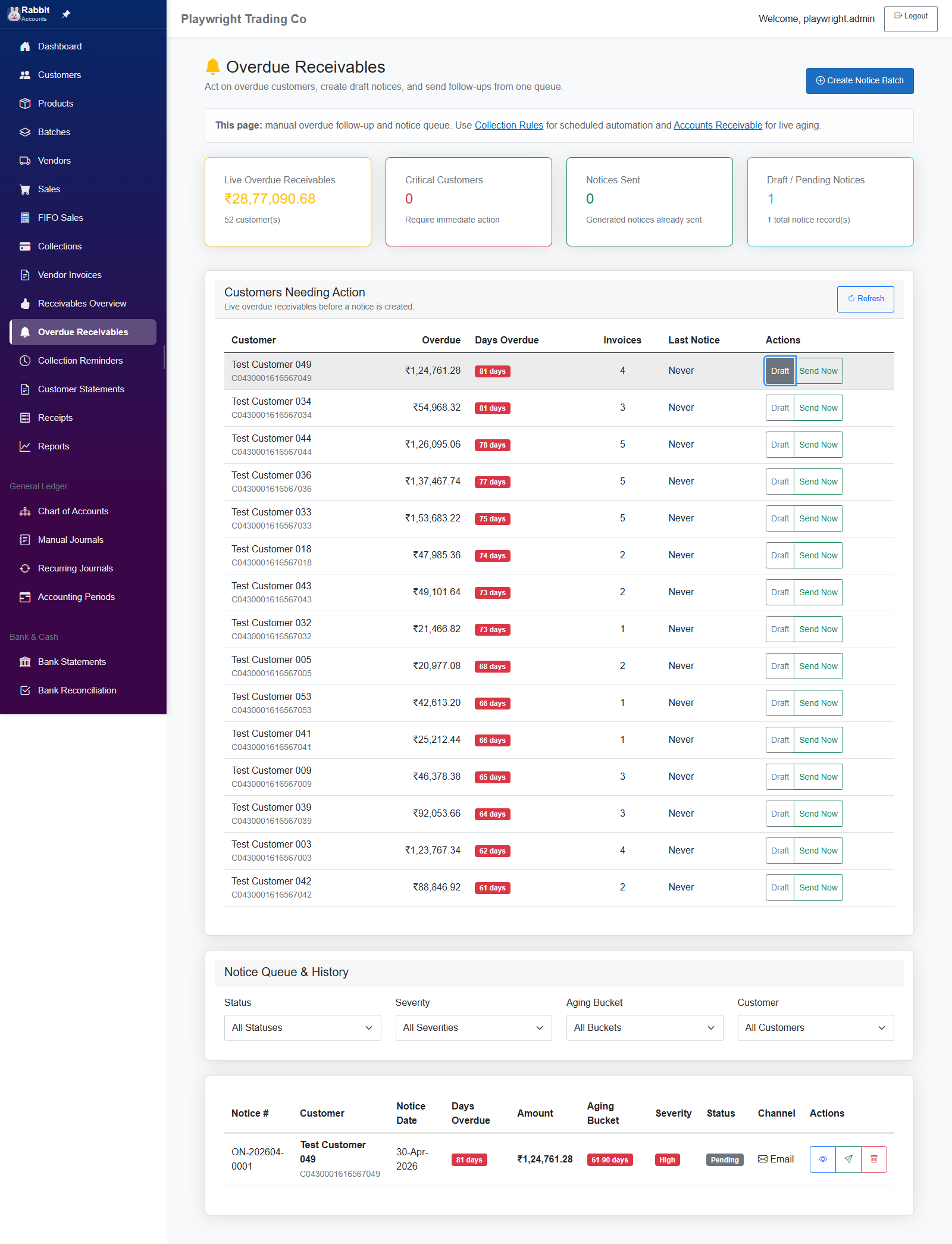
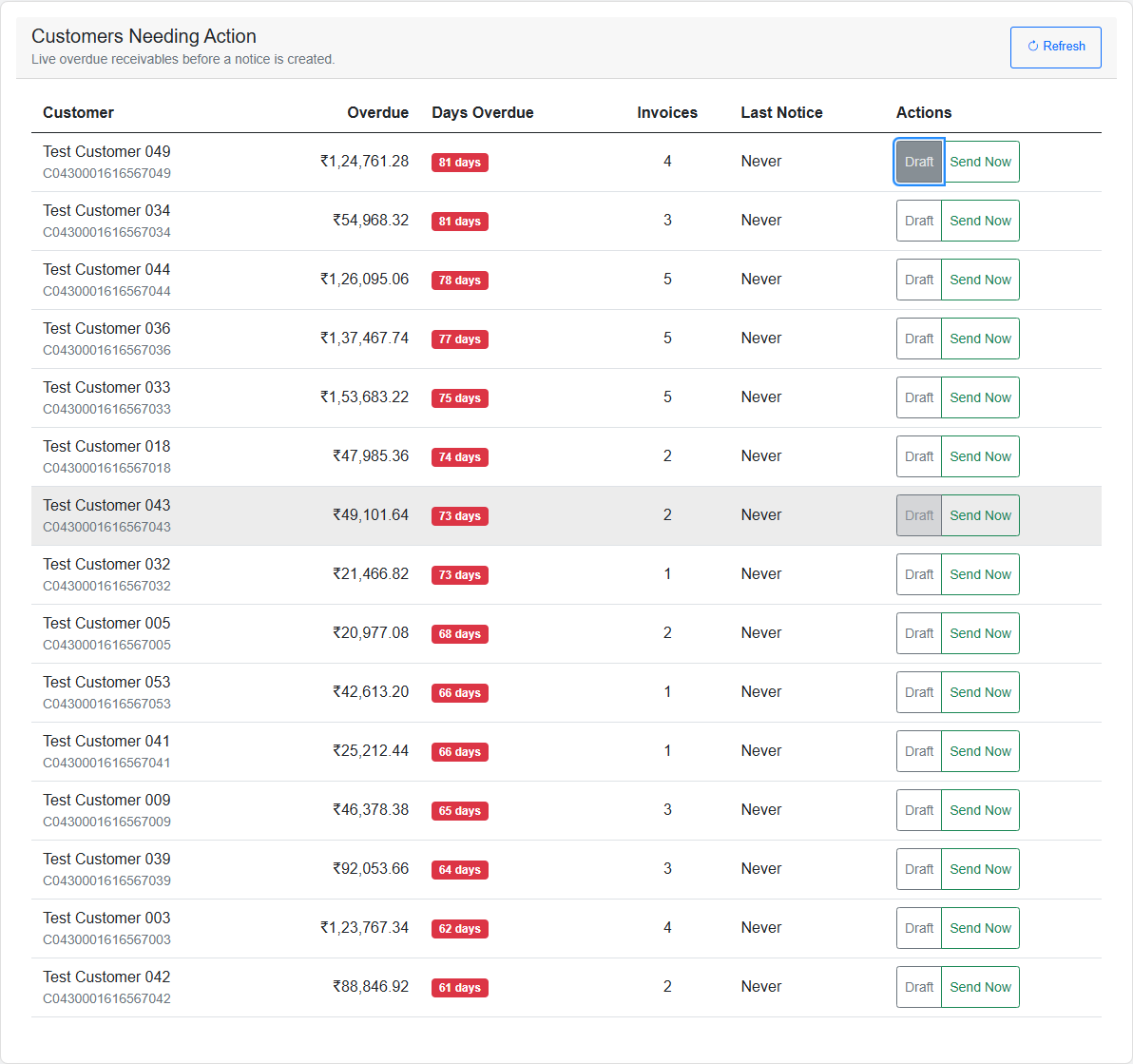
Overdue Receivables supports overdue queue, filter badges, generate notices, view details, send and delete actions.
Playwright coverage
Functional
-
tests/overdue-notices.spec.ts
Functional
TC-AR-001: Navigate to Overdue Receivables page and view summary cardsTC-AR-002: Live overdue customer queue renders data or empty stateTC-AR-003: Create Notice Batch modal shows criteria and customer selectionTC-AR-004: Create a draft notice from the live queue when a customer needs actionTC-AR-005: Notice queue filters are visible and interactiveTC-AR-006: View notice details when queue records existTC-AR-007: Pending notice rows expose send and delete actionsTC-AR-008: Currency formatting and responsive layout remain usable
Generated master-catalog use cases
Screen-specific behavior
This screen does not have a dedicated detailed markdown file yet, so the use-case page is generated from the master screen catalog.
| Use Case ID | Control Or Trigger | Business Outcome |
|---|---|---|
| UC-MSTR-AR-001 | Load overdue queue with summary cards | Collector sees the size and urgency of the overdue book |
| UC-MSTR-AR-002 | Filter by customer, aging bucket, severity, or status | Collector narrows the work queue quickly |
| UC-MSTR-AR-003 | Generate overdue notices | Actionable notices are created from current overdue balances |
| UC-MSTR-AR-004 | Open notice detail | Collector can inspect the invoices and message before sending |
| UC-MSTR-AR-005 | Send or otherwise action a notice | Customer follow-up is recorded |
| UC-MSTR-AR-006 | Delete or cancel an unsent notice | Queue stays clean without affecting already-sent history |
Visual walkthrough
Screen snapshots
Open any image for a closer look. The manual keeps screenshots on screen pages so the index stays light.